
WordPress SEO in Nepal: Complete Optimization Guide (2026)
WordPress powers a huge percentage of business websites in Nepal—and for good reason. It’s flexible, affordable, and easy to manage. But simply having a WordPress website does not mean your site will rank on Google. Without proper optimization, many WordPress sites in Nepal stay slow, invisible, and underperforming.
That’s where WordPress SEO comes in.
WordPress SEO is the process of optimizing your WordPress website so search engines can crawl, understand, and rank your pages—and so real users get a fast, smooth, and trustworthy experience. For Nepali businesses, this is especially important because most visitors are mobile-first, internet speeds vary, and competition in cities like Kathmandu, Lalitpur, and Pokhara is increasing every year.
At Sigma Nepal, we audit many WordPress sites that look good but fail to generate traffic or leads because of poor SEO setup. This guide will show you exactly how to optimize your WordPress website in Nepal—step by step—using best practices that align with Google’s quality standards and real business goals.
If you’re new to SEO, you may also want to read our SEO & Digital Marketing in Nepal guide and On-Page SEO Optimization article. And for the technical foundation, follow our Technical SEO Checklist for Nepali Websites—because WordPress SEO works best when all three are combined.
What is WordPress SEO?
WordPress SEO means optimizing both the content and the technical setup of a WordPress website so it can:
Rank higher on Google
Load faster on mobile and slow connections
Provide a better user experience
Attract the right visitors
Convert visitors into customers
It includes:
Installing and configuring an SEO plugin (like Yoast or RankMath)
Optimizing titles, meta descriptions, and headings
Improving site speed and performance
Fixing technical issues (indexing, sitemaps, mobile usability)
Creating SEO-friendly content
Building a clean site structure and internal links
WordPress is SEO-friendly by default, but only if it’s set up correctly. Many Nepali websites use heavy themes, too many plugins, or poor hosting—making SEO much harder than it needs to be.
Why WordPress SEO is Critical for Businesses in Nepal
In Nepal, most customers now:
Search on Google before contacting a business
Compare services online
Check reviews and websites
Browse on mobile phones
If your WordPress site is slow, confusing, or invisible in search results, you lose customers to competitors who invested in proper SEO.
Good WordPress SEO helps you:
Rank for keywords like “website development in Kathmandu” or “SEO company in Nepal”
Get more organic traffic without paying for every click
Build trust with users and search engines
Improve conversions and inquiries
Grow sustainably over time
Think of SEO as a long-term asset. A well-optimized WordPress site can bring customers for years.
How WordPress SEO Fits into Your Overall SEO Strategy
WordPress SEO is not separate from SEO—it’s part of the full system:
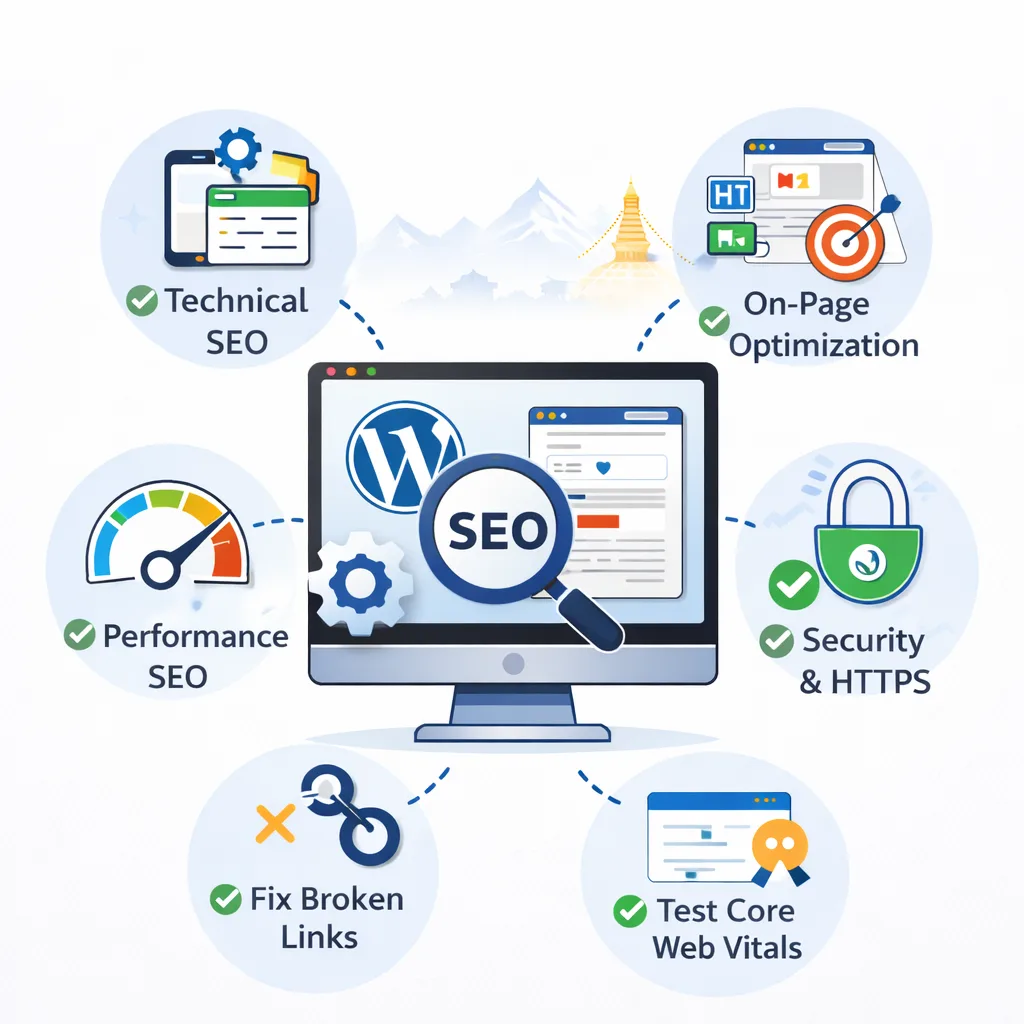
Technical SEO makes sure your site is fast, secure, and crawlable
On-page SEO makes sure your content is clear, relevant, and optimized
WordPress SEO makes sure your platform is configured correctly to support both
If your site is slow or broken technically, even the best content won’t rank. That’s why you should first fix issues using our Technical SEO Checklist for Nepali Websites, then optimize content using On-Page SEO best practices, and finally fine-tune everything inside WordPress.
Step-by-Step WordPress SEO Checklist for Nepali Websites
Let’s go through the most important parts you should optimize.
1. Choose the Right Hosting (Very Important)
Your hosting affects:
Website speed
Uptime
Security
SEO performance
In Nepal, many businesses use very cheap hosting that makes their site slow and unstable.
Checklist:
Choose reliable hosting
Avoid overcrowded shared servers
Make sure uptime is good
Consider using a CDN for faster delivery
Ensure SSL (https) is included
Good hosting is not an expense—it’s an investment in performance and rankings.
2. Use a Lightweight, SEO-Friendly Theme
Your theme controls your site’s design and performance.
Checklist:
Use a fast, lightweight theme
Avoid themes with too many built-in features you don’t need
Make sure the theme is mobile-responsive
Make sure it supports clean code and SEO best practices
Test demo speed before choosing a theme
Heavy themes with too many scripts slow down your site and hurt Core Web Vitals, which affects rankings.
3. Install and Configure an SEO Plugin (Yoast or RankMath)
An SEO plugin helps you manage:
Meta titles and descriptions
XML sitemaps
Indexing settings
Canonical URLs
Schema markup
Checklist:
Install Yoast or RankMath
Generate XML sitemap
Connect with Google Search Console
Set default titles and descriptions
Set noindex for thin or useless pages (like some tag or archive pages)
Don’t just install it—configure it properly.
4. Optimize Titles, Meta Descriptions, and Headings
This is part of on-page SEO optimization, but it’s critical in WordPress.
Checklist:
Each page should have a unique SEO title
Each page should have a clear meta description
Use one H1 per page
Use H2, H3 for structure
Include keywords naturally
Example:
SEO Title: “WordPress Development in Nepal | Sigma Nepal”
Meta Description: “Professional WordPress development in Nepal for fast, secure, and SEO-friendly business websites.”
5. Improve Website Speed (Crucial in Nepal)
Most Nepali users are on mobile data. Speed matters a lot.
Checklist:
Use caching plugin
Compress images (use WebP)
Minify CSS and JavaScript
Remove unnecessary plugins
Use a CDN if possible
Test with Google PageSpeed Insights
Speed is also a ranking factor, not just a user experience issue.
6. Make Your Site Mobile-First
Google uses mobile-first indexing. That means your mobile site is what Google mainly looks at.
Checklist:
Use responsive design
Make buttons easy to tap
Make text readable without zoom
Avoid pop-ups that block content
Test on real mobile devices
If your mobile experience is poor, your rankings and conversions will suffer—especially in Nepal.
7. Fix Technical SEO Issues in WordPress
Common technical problems in WordPress:
Duplicate URLs
Indexing of thin pages
Broken links
Missing sitemaps
Wrong canonical tags
Checklist:
Submit XML sitemap in Google Search Console
Check for crawl errors
Fix broken links
Set proper canonical URLs
Noindex low-value pages (like some tag pages)
Follow the full Technical SEO Checklist for Nepali Websites to get this right.
8. Create SEO-Friendly URLs (Permalinks)
WordPress lets you choose your URL structure.
Best option:/post-name/
Checklist:
Go to Settings → Permalinks → Choose “Post name”
Avoid URLs with numbers or random characters
Keep URLs short and descriptive
Use keywords naturally
Example:/wordpress-seo-in-nepal/ is better than /p=123/.
9. Optimize Images for SEO
Images can slow your site if not optimized.
Checklist:
Compress images before upload
Use WebP format if possible
Add ALT text describing the image
Use descriptive file names
Avoid uploading very large images
Good ALT example:
“WordPress SEO optimization guide by Sigma Nepal”
This helps with:
Speed
Accessibility
Image search visibility
10. Build a Clean Internal Linking Structure
Internal linking helps:
Google understand your site structure
Important pages get more authority
Users navigate easily
Checklist:
Link blog posts to related posts
Link blogs to service pages
Link service pages back to guides
Avoid orphan pages (pages with no links)
For example, this post should link to:
On-Page SEO Optimization
Technical SEO Checklist for Nepali Websites
SEO & Digital Marketing in Nepal
Your WordPress Development and SEO Services pages
11. Create High-Quality, Helpful Content (E-E-A-T)
Google cares about Experience, Expertise, Authority, and Trust.
Your content should:
Solve real problems
Be written clearly
Be accurate and updated
Show your experience and knowledge
Build trust with users
For Nepali businesses, this means:
Writing for local audience needs
Using simple language
Giving practical advice
Showing real expertise in your field
Good content + good WordPress SEO = long-term growth.
12. Manage Plugins Carefully
Too many plugins = slow site + security risks.
Checklist:
Remove unused plugins
Use only trusted plugins
Keep plugins updated
Avoid plugins that duplicate functions
Test performance after installing new plugins
Many WordPress sites in Nepal are slow simply because of too many heavy plugins.
13. Secure Your WordPress Website
Security affects trust and SEO.
Checklist:
Use HTTPS (SSL)
Keep WordPress, themes, and plugins updated
Use strong passwords
Use a security plugin if needed
Take regular backups
A hacked site can lose rankings, trust, and customers overnight.
14. Track Performance with Google Search Console & Analytics
You should monitor:
Which keywords bring traffic
Which pages perform best
Errors and indexing issues
Mobile usability problems
Speed and Core Web Vitals
Data helps you improve continuously, not guess.
Common WordPress SEO Mistakes in Nepal
We often see:
Slow, heavy themes
Cheap, slow hosting
No SEO plugin setup
Duplicate pages indexed
No internal linking
No mobile optimization
Too many plugins
No tracking tools
Fixing these basics can already improve rankings significantly.
WordPress SEO vs Custom Websites
WordPress is excellent for SEO if set up correctly. Custom websites can also rank well—but they often:
Cost more to maintain
Need developer support for every change
Take longer to optimize
For most Nepali businesses, WordPress is the best balance of cost, flexibility, and SEO performance—especially when built by professionals who understand website development in Nepal and SEO together.
Do You Need Professional Help with WordPress SEO?
You can do some basics yourself. But professional help is valuable for:
Full technical audits
Speed and Core Web Vitals optimization
Large or complex websites
Competitive keywords
Long-term SEO strategy
At Sigma Nepal, we provide:
Technical SEO optimization
Content and on-page optimization
Ongoing performance improvement
Final Thoughts: WordPress SEO is a Long-Term Investment
WordPress SEO is not a one-time task. It’s an ongoing process of:
Improving performance
Creating better content
Fixing technical issues
Adapting to Google updates
Serving users better
If you build your site on a strong technical foundation, follow on-page best practices, and continuously improve content, your WordPress website can become a powerful business asset in Nepal’s growing digital market.
Want to Optimize Your WordPress Website for SEO?
If you want experts to handle your WordPress SEO properly:
Contact Sigma Nepal for professional WordPress development and SEO services in Nepal.
We’ll help you build a fast, secure, and SEO-friendly WordPress website that actually brings traffic, leads, and customers.